
 Enterthedeals
Last reviewed: May 31, 2026
The best printer for printing coupons is not always the most expensive home-office machine. For printable coupons, the winner is the printer that produces clean barcodes, uses inexpensive ink or toner, prints reliably on plain letter paper, and gives you control over grayscale, scale, and one-sided output.
The short answer: most households should choose a refillable ink tank printer such as the Canon PIXMA MegaTank G3270, Canon MegaTank G3290, Epson EcoTank ET-2800, or HP Smart Tank 5101. Heavy black-and-white coupon users should also consider a compact monochrome laser printer such as the Brother HL-L2460DW. These models keep the cost per page low enough that a $1.00 coupon still feels like a $1.00 coupon after printing.
Featured Snippet Answer
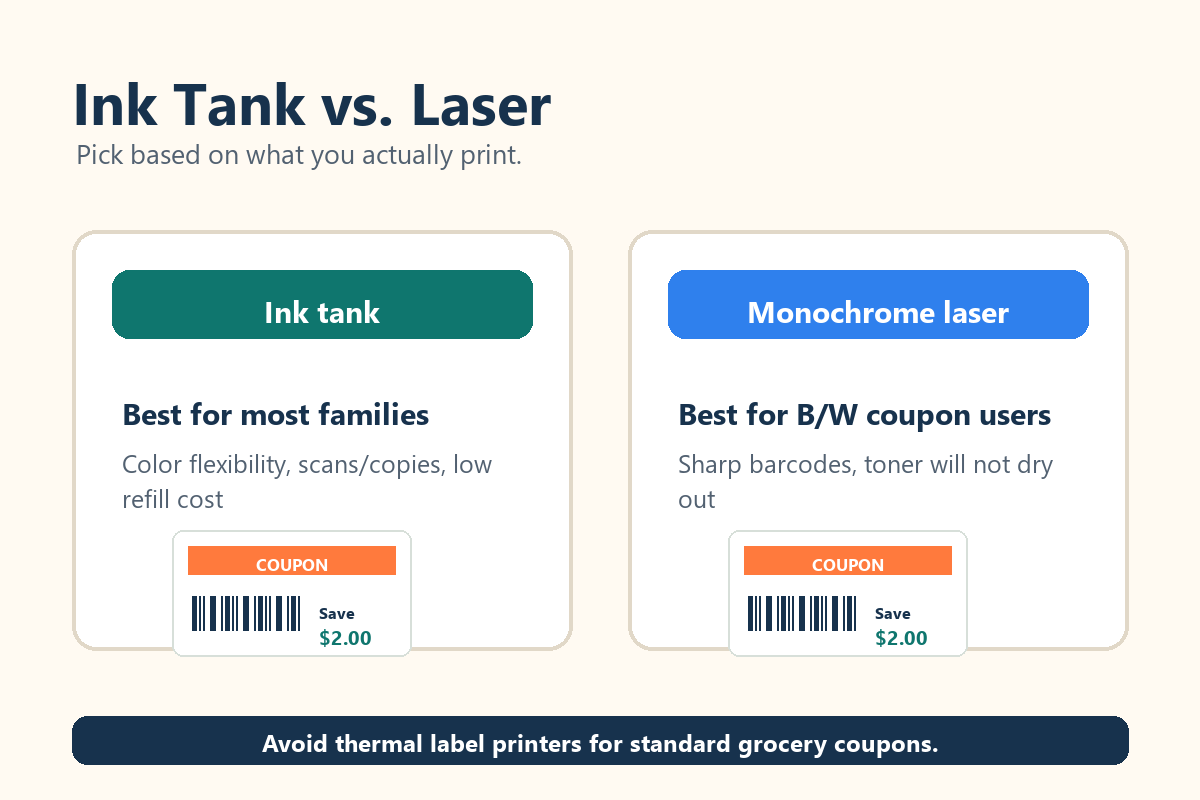
Quick answer: The best printer for printing coupons is a low-cost ink tank printer for most families and a monochrome laser printer for shoppers who print mostly black-and-white coupons. Choose an ink tank model if you want color flexibility, scanning, and the lowest long-term ink cost. Choose a laser model if you want sharp text, fast output, and toner that will not dry out between shopping trips. For either type, print at 100% size, use grayscale when allowed, avoid faint draft mode for barcodes, and never photocopy, resize, or alter manufacturer coupons.
Why Coupon Printing Is Different
Coupon printing has a different goal than photo printing, school projects, or office reports. A coupon does not need gallery-quality color. It needs a barcode that the register can read the first time. Walmart, Target, and Kroger all publish coupon rules that emphasize scannable barcodes, valid expiration dates, and unaltered coupons. Walmart specifically says it will not accept print-at-home coupons that are blurry, out of proportion, altered, or unable to scan. That makes barcode clarity the most important feature.
The second priority is running cost. A cheap cartridge printer can look attractive at checkout, but if replacement ink costs more than the coupons save, it is the wrong machine. That is why ink tank printers and monochrome laser printers dominate this list. They usually cost more upfront than the cheapest cartridge models, but they are built for thousands of pages before replacement ink or toner becomes a crisis.
The third priority is control. A good coupon printer should let you print from a computer or mobile device, choose black-and-white output, turn off scaling, and select one-sided printing. Coupon websites and retailer policies can change, but these settings remain the safest path for readable coupons.
Quick Comparison: Best Coupon Printers
| Printer | Best For | Why It Works for Coupons | Watch-Out |
|---|---|---|---|
| Canon PIXMA MegaTank G3270 | Best overall value | High ink yield, scan/copy, clear everyday output | Not the fastest |
| Canon MegaTank PIXMA G3290 | Best upgraded family pick | Low ink cost, wireless support, better family features | Higher price |
| Epson EcoTank ET-2800 | Best beginner ink tank | Simple setup, cheap refills, scan/copy | Modest speed |
| Brother HL-L2460DW | Best black-and-white laser | Sharp barcodes, fast output, toner will not dry out | No color |
| Brother DCP-L2640DW | Best laser all-in-one | Print, scan, copy, and organize coupon paperwork | Black-and-white only |
| HP Smart Tank 5101/6001 | Best HP family option | Refillable ink and strong everyday flexibility | Compare sale pricing |
| Brother MFC-T780DW | Best heavy-use home office | Refillable ink, ADF, duplex, strong productivity | Overkill for casual use |
1. Best Overall Coupon Printer: Canon PIXMA MegaTank G3270
The Canon PIXMA MegaTank G3270 is the strongest overall pick for couponers who want low running costs without buying a business-class machine. Canon lists approximate page yields of up to 6,000 black pages and 7,700 color pages in default mode, which is more than enough for regular grocery, household, and drugstore coupon printing. It also scans and copies, so it can handle normal home tasks beyond couponing.
Its best advantage is value. Many couponers do not need a huge paper tray or office-speed output. They need a dependable printer that makes clear barcodes on plain paper and does not punish them every time they replace ink. The G3270 fits that use case well. Use normal quality for coupons, not photo quality and not ultra-light draft mode.
The main drawback is speed. It is a practical home printer, not a workgroup printer. That is fine for shoppers who print a few sheets before a grocery trip, but impatient high-volume users may prefer the Brother MFC-T780DW or a monochrome Brother laser.
2. Best Upgraded Ink Tank Printer: Canon MegaTank PIXMA G3290
The Canon MegaTank G3290 is a smart upgrade if you like the Canon tank-printer idea but want a more polished all-in-one. Independent testing from Tom’s Guide praised the G3290 for low ink costs, wireless support, and strong value for home users. For coupon printing, those strengths matter because you can print from a phone or laptop, scan receipts or rebate paperwork, and keep operating costs low.
The G3290 is better than a coupon-only printer for families who also print school pages, recipes, return labels, and occasional photos. Choose this one when your printer needs to be a general family printer first and a coupon printer second. For best results, avoid shrinking pages to “fit” if the coupon already prints at the correct size.
3. Best Budget Refillable Ink Option: Epson EcoTank ET-2800
The Epson EcoTank ET-2800 is one of the easiest recommendations for couponers who want low-cost ink and a simple all-in-one layout. Epson lists replacement ink yields of about 4,500 black pages and 7,500 color pages, and says the printer includes up to two years of ink in the box. It includes scanning and copying, which is useful if the printer will also serve as a basic household device.
The ET-2800 is not the fastest printer on this list, but speed is rarely the deciding factor for coupons. Its strength is long-term savings. You refill bottles rather than replacing small cartridges, which helps prevent the classic couponing mistake of spending $45 on ink to print $12 worth of deals.
This is a good pick for beginners, apartment dwellers, students, and families who print coupons a few times per week. Keep the printer active by printing a small test page every couple of weeks if you rarely use it.
4. Best Black-and-White Laser Printer: Brother HL-L2460DW
The Brother HL-L2460DW is the best laser printer for coupon users who mostly print manufacturer coupons, rebate forms, shopping lists, and store policies in black and white. Brother says this compact monochrome laser printer produces up to 36 pages per minute, has a 250-sheet tray, supports automatic duplex printing, and connects through wireless, Ethernet, or USB. That is more than enough performance for an active coupon household.
A monochrome laser printer has two big advantages. First, text and barcodes look sharp. Second, toner does not dry out like ink can. If you print in bursts, take breaks from couponing, or keep a printer for occasional use, laser can be easier to live with.
The tradeoff is obvious: no color. Most printable coupons do not need color as long as the barcode, expiration date, and terms are readable, but you should still check the coupon fine print and store policy.
5. Best Laser All-in-One: Brother DCP-L2640DW
Choose the Brother DCP-L2640DW if you like the laser-printer idea but also want scanning and copying. It is a monochrome multifunction printer, so it is best for couponers who organize paper deals, print store policies, scan receipts, and keep household documents in one place.
This model makes sense for serious savings organizers who treat couponing like a system. You can print your coupons, scan rebate documentation, copy a store policy for your binder, and handle general paperwork without needing a separate scanner. It is not ideal for households that need color school projects or photos. For crisp black-and-white output and office-style reliability, however, it is a strong couponing workstation.
6. Best HP Option for Families: HP Smart Tank 5101 or 6001
HP’s Smart Tank line is another strong choice for couponers who want refillable ink without complicated setup. HP says the Smart Tank 5101 includes up to three years of ink, with up to 6,000 black pages or 6,000 color pages in the box. The Smart Tank 6001 adds more convenience features, including two-sided printing on current listings, making it better for households that print more than coupons.
The HP Smart Tank 5101 is the better value pick for couponing, school forms, recipes, and simple color documents. The 6001 is the better family printer if you want a more capable all-in-one with extra convenience. Compare the real store price, included ink, replacement bottle cost, and return policy before buying.
7. Best Heavy-Use Home-Office Option: Brother MFC-T780DW
The Brother MFC-T780DW is overkill for a casual couponer, but excellent for a home office or large family that also prints coupons. Brother describes it as a wireless all-in-one with duplex printing, an automatic document feeder, and up to three years of ink in the box. Tom’s Guide also highlighted its low tested running costs and solid speed.
For couponing, the MFC-T780DW is appealing because it combines refillable-ink economics with productivity features. It can handle documents, scanning, copying, school packets, tax paperwork, and coupon sheets without feeling like a tiny budget printer. Buy it only if you will use those extra features.
Inkjet vs. Laser: Which Is Better for Printable Coupons?
Inkjet is better for most couponers because it offers color flexibility, scanning, copying, and very low ink costs when you choose a tank model. Laser is better for couponers who print mostly black-and-white pages and want crisp text with minimal maintenance. The worst choice for frequent coupon printing is usually a low-end cartridge inkjet with expensive replacement cartridges.
Avoid thermal label printers for grocery coupons. They are great for shipping labels, but not for standard coupon sheets. Stores expect full, readable terms and a scannable barcode on letter-size paper. Use a regular inkjet or laser printer instead.
Best Settings for Printing Coupons
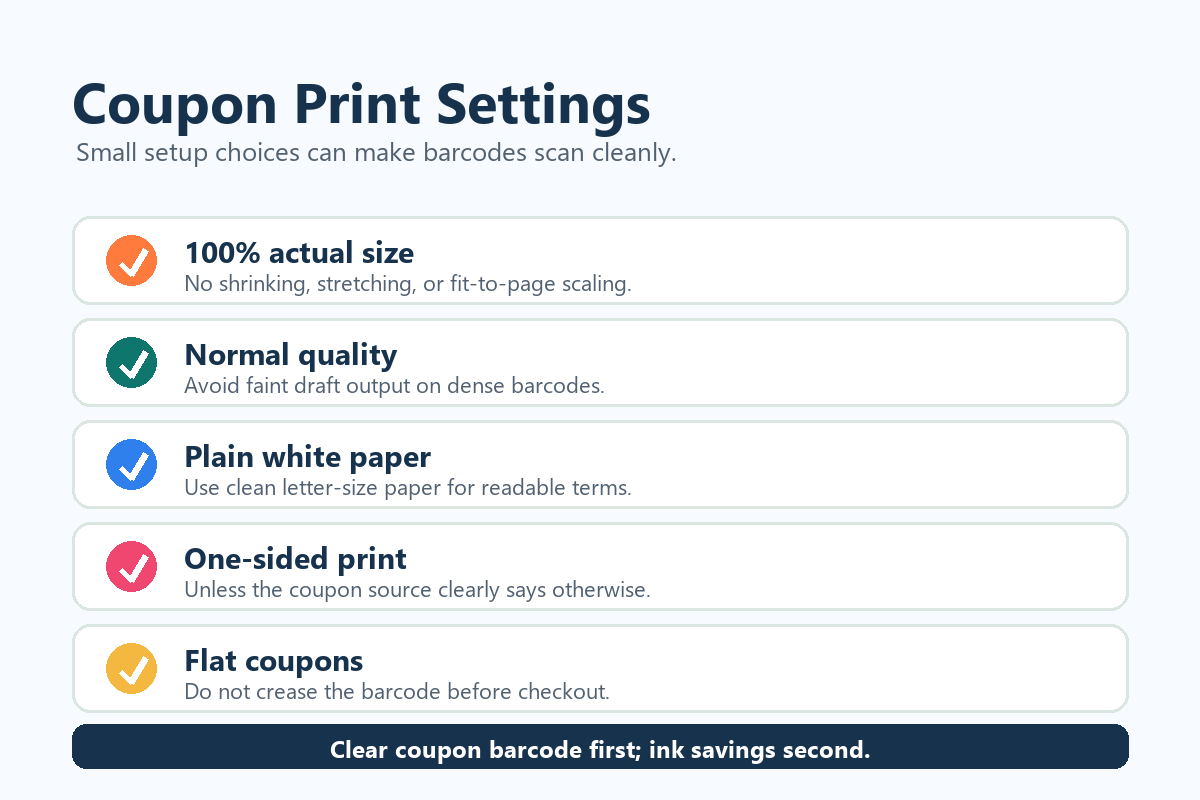
Use these settings before every coupon session:
- Print at 100% scale or “actual size.”
- Use grayscale or black-and-white when the coupon rules allow it.
- Use normal quality for barcodes; avoid faint draft output.
- Print on clean, plain white letter paper.
- Print one-sided unless the coupon source specifically says otherwise.
- Do not crop, enlarge, shrink, scan, photocopy, or digitally alter a manufacturer coupon.
- Let ink dry before folding coupons, especially on dense barcodes.
- Keep the coupon flat in an envelope so the barcode does not crease.
These settings matter because retailer policies often reject coupons that are copied, blurry, altered, out of proportion, expired, or not scannable. A small amount of extra care at home prevents awkward checkout delays.
Buying Checklist: What to Look For Before You Pay
Before choosing the best printer for printing coupons, check six things. First, confirm the replacement ink or toner price, not only the printer price. Second, check whether the printer uses cartridges, bottles, or toner. Third, look for wireless printing if you save coupons from a phone or laptop. Fourth, make sure the paper tray handles standard 8.5 x 11-inch paper without constant jams. Fifth, decide if you need a scanner. Sixth, read recent user reviews for setup problems, Wi-Fi reliability, and paper feed complaints.
The best value for most people is not the cheapest printer. It is the printer with the lowest total cost after one or two years of actual use. Couponers should think like investors: the printer should protect your savings, not consume them.
FAQs
Can I print coupons in black and white?
Yes, many printable coupons scan fine in black and white as long as the barcode and terms are clear. The Krazy Coupon Lady also recommends black-and-white printing to conserve ink. Always follow the coupon’s fine print and your store’s policy.
Will stores reject coupons printed from home?
Stores can reject print-at-home coupons that do not meet policy requirements. Walmart and Target emphasize scannable barcodes, while Kroger says coupons that are copied, blurry, altered, out of proportion, or unable to scan may be refused. Print cleanly and keep coupons uncreased.
Is draft mode okay for coupons?
Draft mode is risky if it makes barcodes too light. Use normal quality for coupons, then save ink by printing in grayscale and avoiding unnecessary color.
Should I buy a color printer for coupons?
Buy color if the printer will also handle schoolwork, recipes, forms, photos, or family documents. For coupons only, a monochrome laser printer can be excellent.
Can I print coupons from my phone?
Often yes, depending on the coupon source and printer app. A printer with reliable Wi-Fi and mobile support is helpful. Review the print preview carefully before sending the job so the coupon is not resized.
What is the best printer for extreme couponing?
For heavy black-and-white couponing, choose the Brother HL-L2460DW. For heavy couponing plus scanning, copying, and family printing, choose the Brother MFC-T780DW or Canon G3290.
Final Verdict
The best printer for printing coupons in 2026 is the one that keeps your net savings high. For most households, that means a refillable ink tank printer. The Canon PIXMA MegaTank G3270 is the best overall value, the Epson EcoTank ET-2800 is the easiest budget tank recommendation, and the HP Smart Tank 5101 is a strong family-friendly alternative. For shoppers who print mostly black-and-white coupons, the Brother HL-L2460DW is the cleanest, sharpest, lowest-maintenance laser choice.
Buy for barcode clarity, low running cost, and reliability. Then use the right settings: actual size, clean paper, one-sided output, and normal barcode quality. Do that, and your printer becomes a savings tool instead of another household expense.
Research Methodology and Sources Reviewed
This guide compared official store coupon policies, manufacturer specifications, independent printer testing, and coupon-specific savings advice. The gap in many general printer roundups is that they rank home printers without explaining coupon barcode rejection risks, print-at-home rules, or cost-per-coupon tradeoffs.
- Walmart Corporate Policies – Coupon rules and print-at-home restrictions
- Target Help – Target coupon policy
- Kroger – Coupon Policy for Digital & Paper Coupons
- Canon U.S.A. – PIXMA MegaTank G3270 specifications
- Epson – EcoTank ET-2800 product page
- Brother – HL-L2460DW product page
- HP – Smart Tank 5101 product page
- Brother – MFC-T780DW product page
- RTINGS – Best printers with cheap ink
- Tom's Guide – Best all-in-one printers
- The Krazy Coupon Lady – Save money on printer ink
Coupon note: Printer specs, refill prices, and store coupon policies can change. Before buying, compare the current printer price, ink or toner cost, wireless support, and the coupon policy for the store where you plan to redeem.


